HRWorks Plus Integration
The ESS or HRWorks Plus can be previewed in HRWSPA24's frame, that means the preview of currently running ESS pages available with new project's design template by configuring the Web.config file of ESS.
Steps for HRWorks Plus Integration
-
Open the HRWPlus solution file from project folder
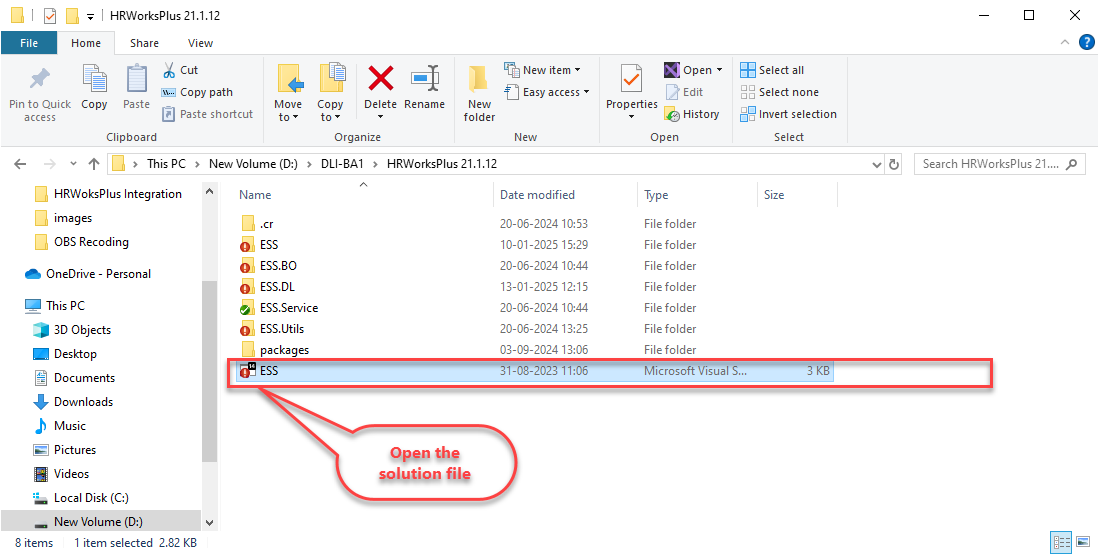
-
From the Solution Explorer, find and open the Web.config file, which is located at the bottom of the ESS folder.
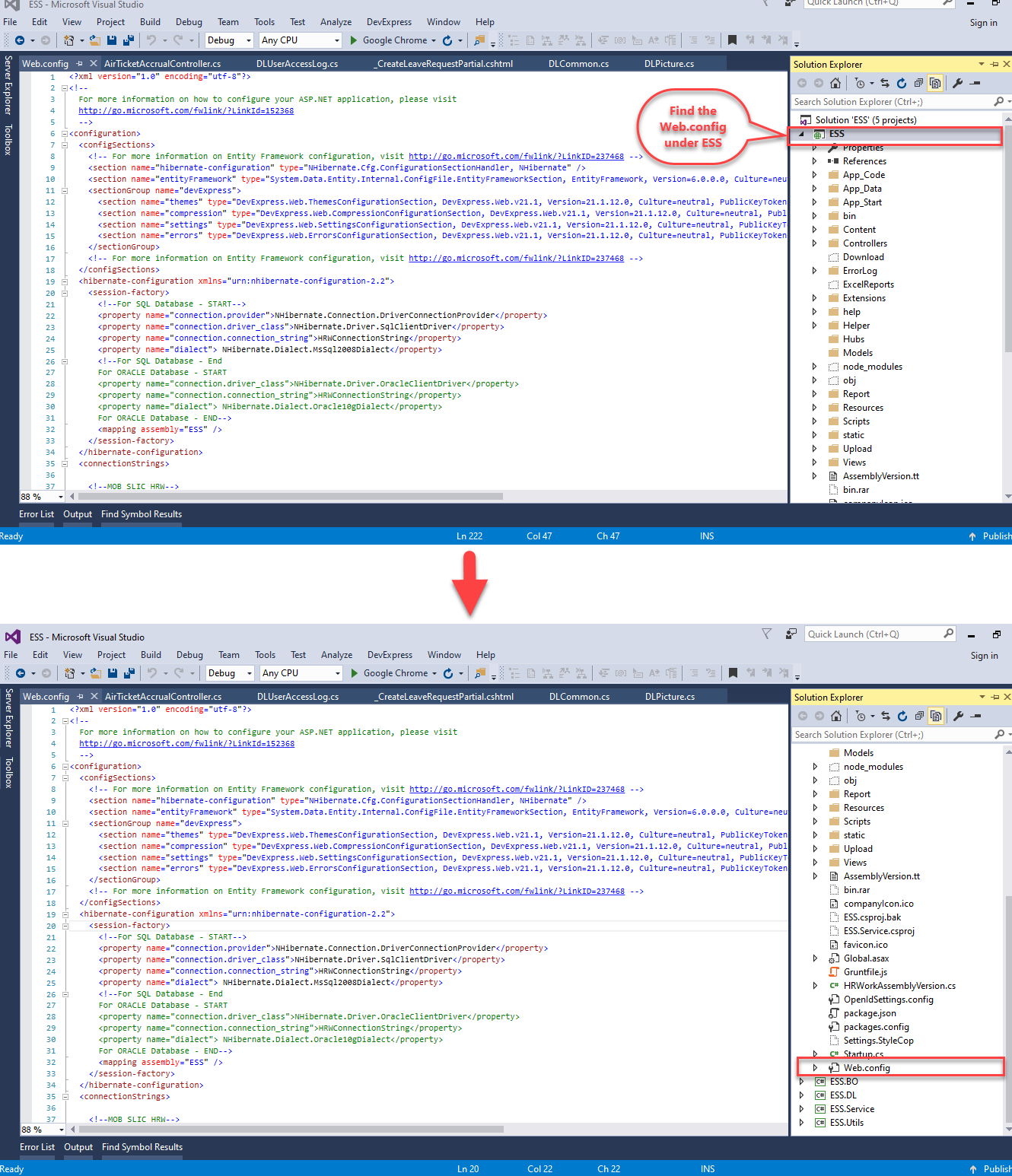
-
Edit the following fields as mentioned in the steps below:
3.1. Remove the timeout part in the authentication and from sessionState tags.
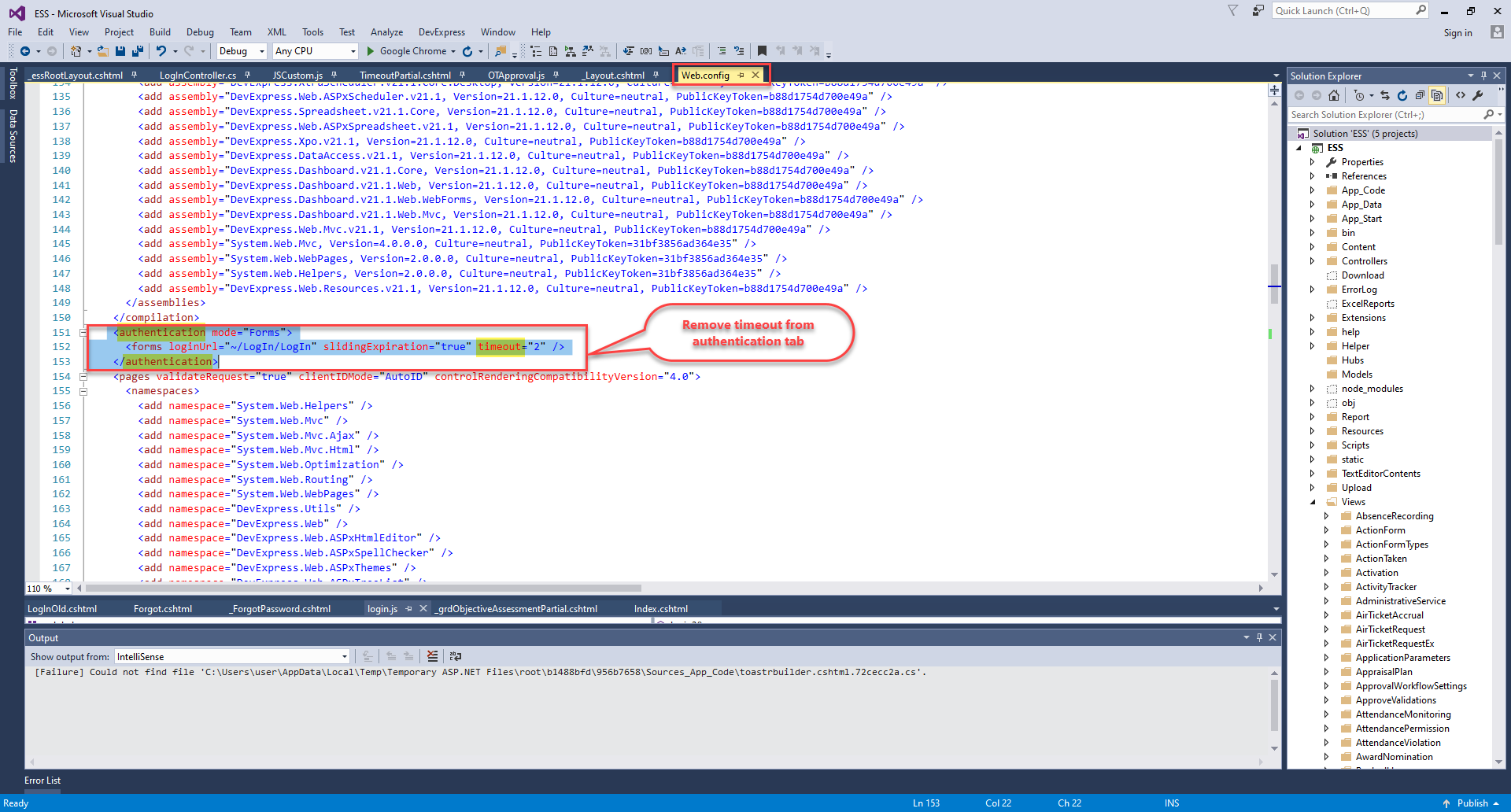
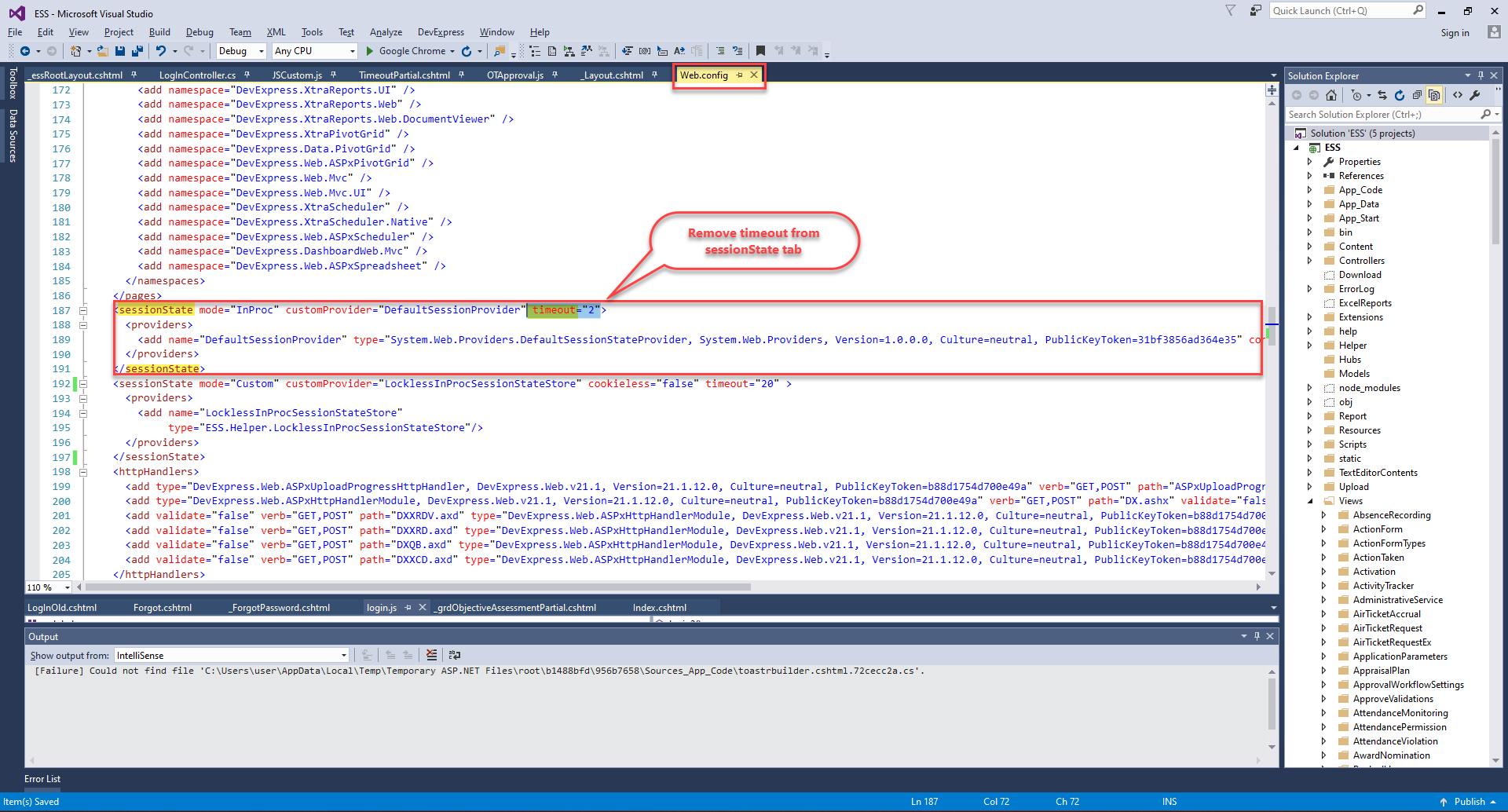
3.2. Replace the code part inside customHeaders tag under httpProtocol tag
<httpProtocol> <customHeaders> <add name="X-Content-Type-Options" value="nosniff" /> <add name="Content-Security-Policy" value="frame-ancestors 'self' http://localhost:4200;" /> <add name="Access-Control-Allow-Origin" value="http://localhost:4200" /> <add name="Access-Control-Allow-Methods" value="GET, POST, OPTIONS" /> <add name="Access-Control-Allow-Headers" value="Content-Type, X-Requested-With" /> </customHeaders> </httpProtocol> -
After finish editing, Save the Web.config file.
-
Run the HRWorks Plus.
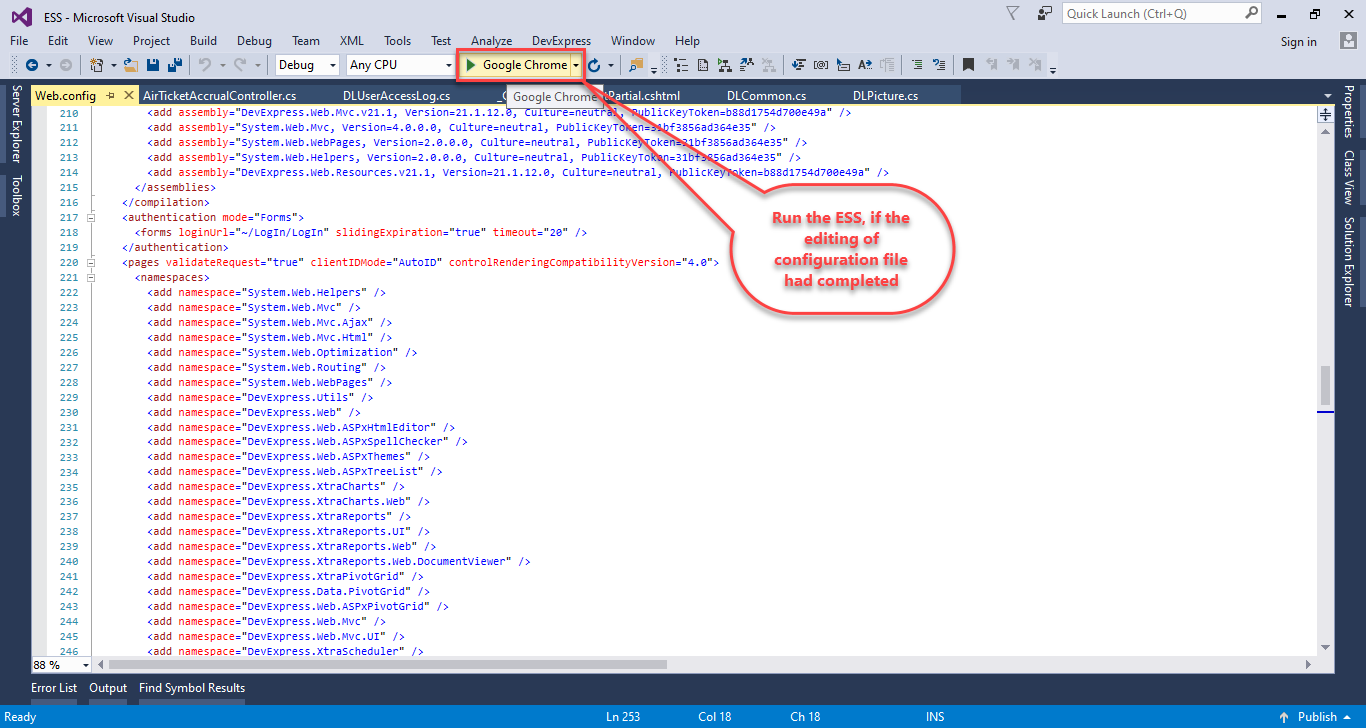
So, we completed steps to Run the HRWorks Plus contents inside HRW24SPA's design frames. To check the output, run the HRW24SPA from its solution file.