Steps to edit Dashboard Layout
The different settings applicable to dashboards in HRW24
2.1. To customize the layout of the newly created dashboard, click on the menu on the top of the Dashboard outline.
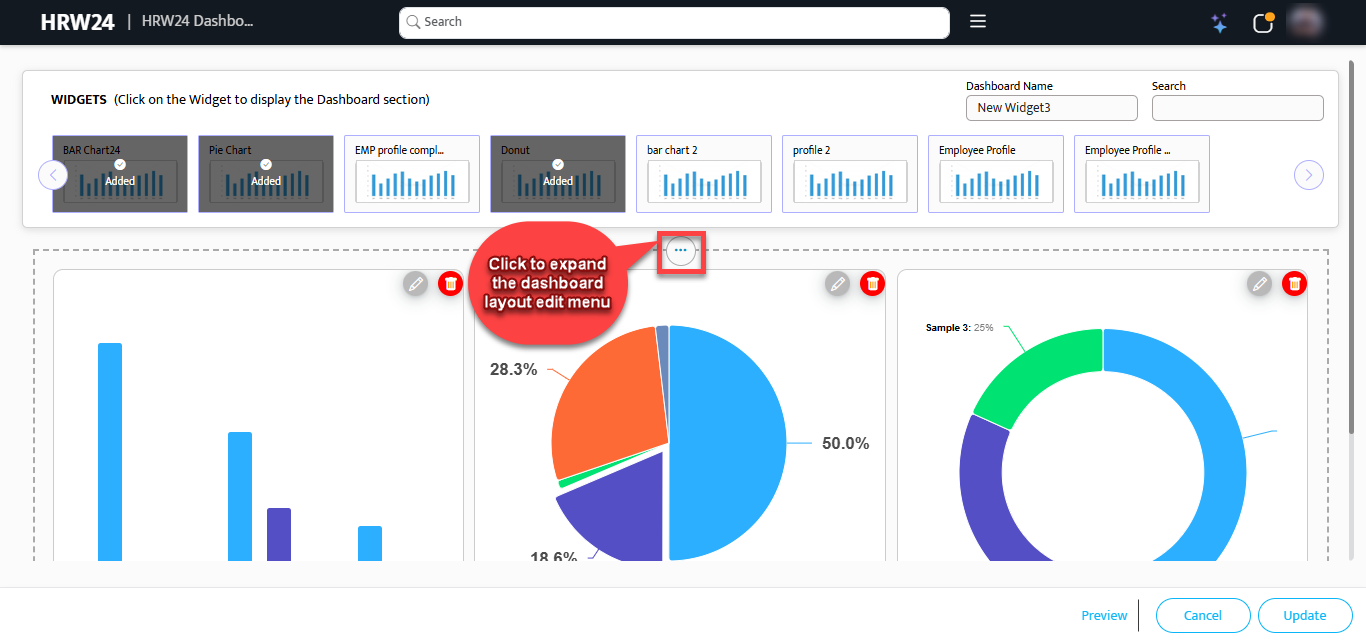 2.2. The expanded menu has the following controls as shown in figure.
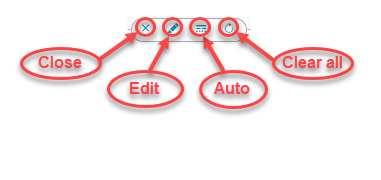
2.2.1. Close: Click to minimize the menu.
2.2.2. Edit: Click on the Edit button to edit the background of the Dashboard.
2.2.3. Auto: Click to reset the layout after making changes.
2.2.4. Clear All: Click to Clear the dashboard by removing all added Widgets.
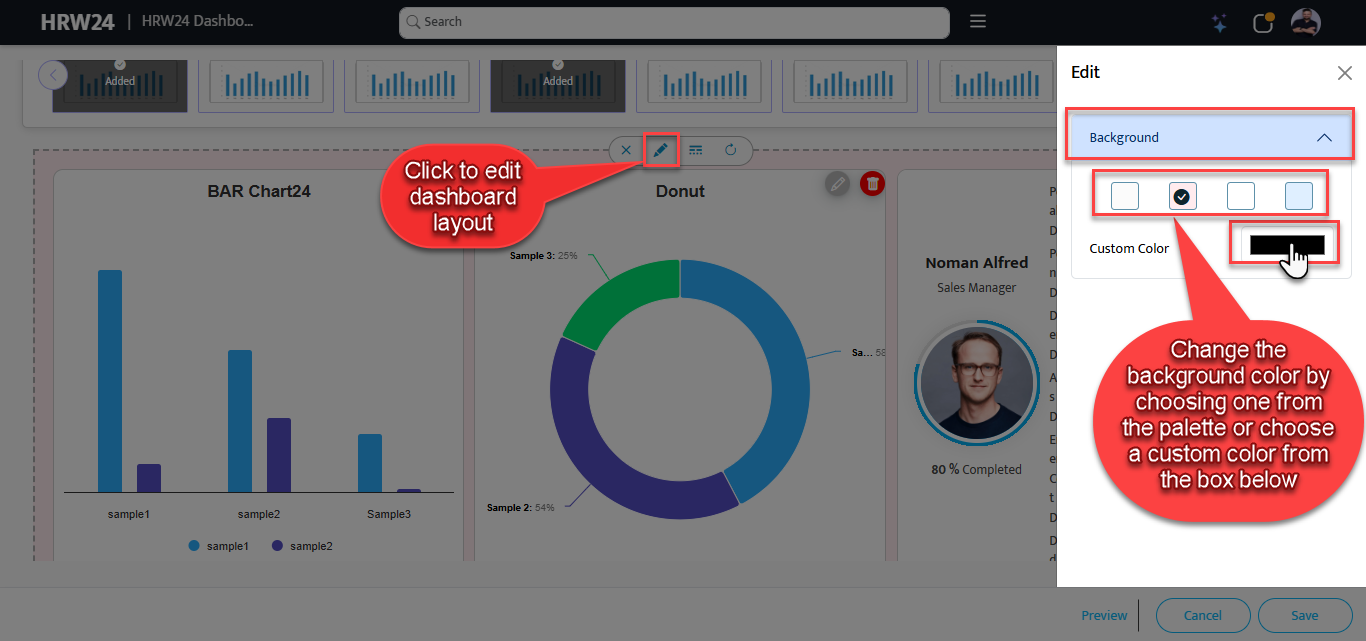
2.3. Changing Background Color of Dashboard: To change the background, click on the Edit icon which described above, so the color palette will show up, select the required color or choose an alternate custom color from the below custom color palette.
 2.4. Change the arrangement of widgets inside dashboard: Click an drag any Widget inside the Dashboard as shown in figure below:
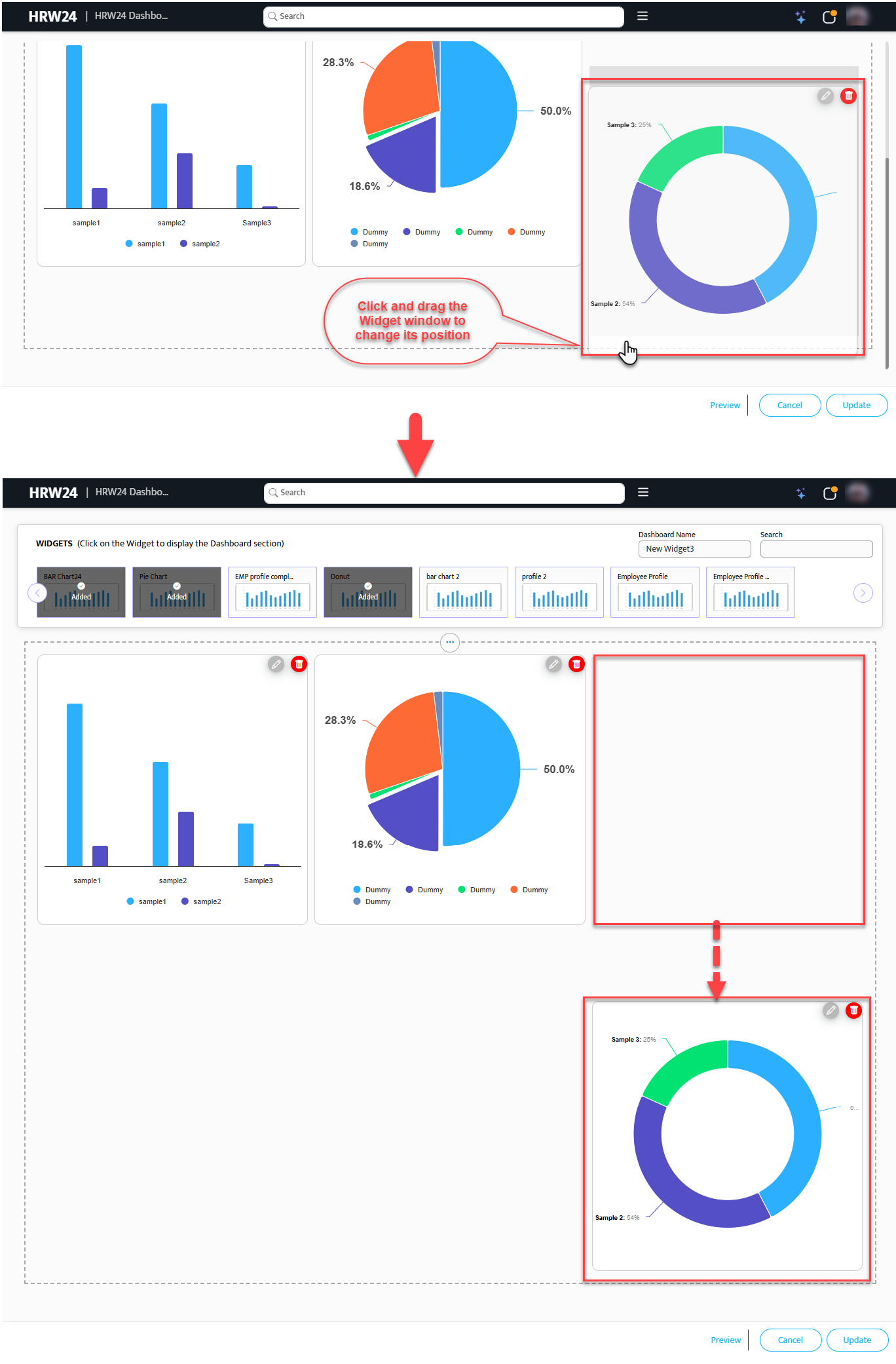 If you want to undo the changes made with widget size/position, do it by using the Auto option available in the menu on top of the dashboard.
-
Edit Widget Layout - Basic Steps
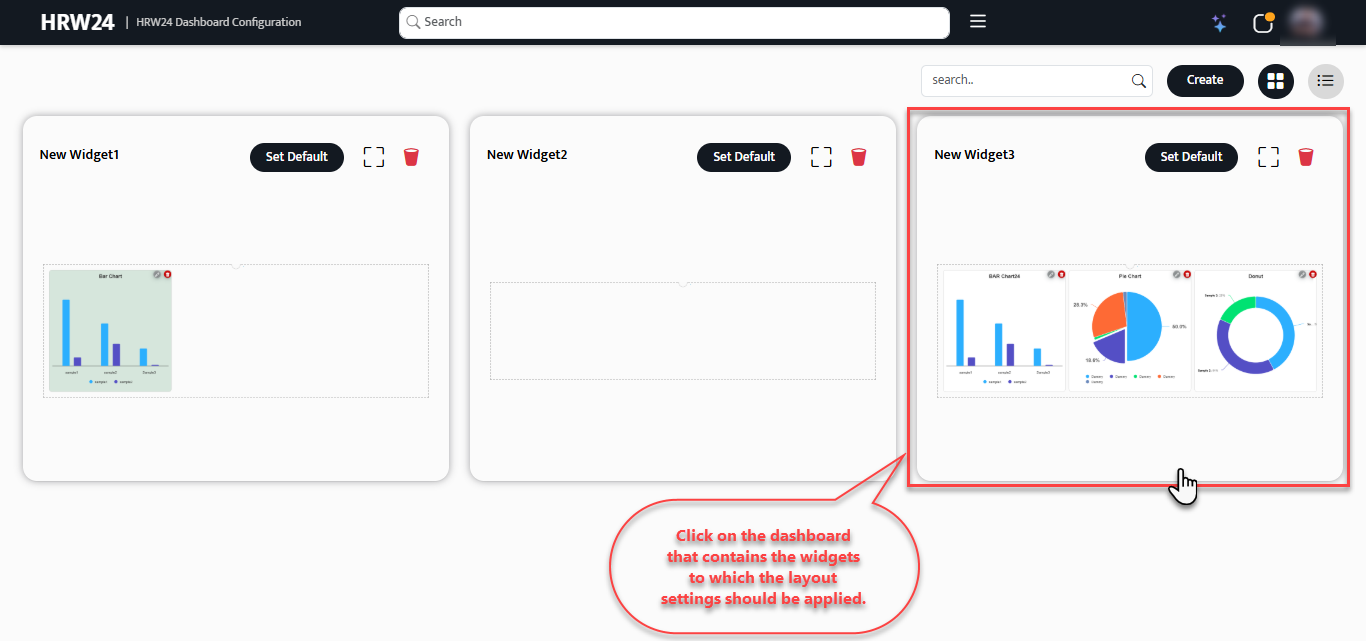
3.1. Open the HRW24 Dashboard Configuration page, Click on a dashboard which contains the particular Widget that you want to edit.
 3.2. Click on the Edit
 button given on the top right corner.
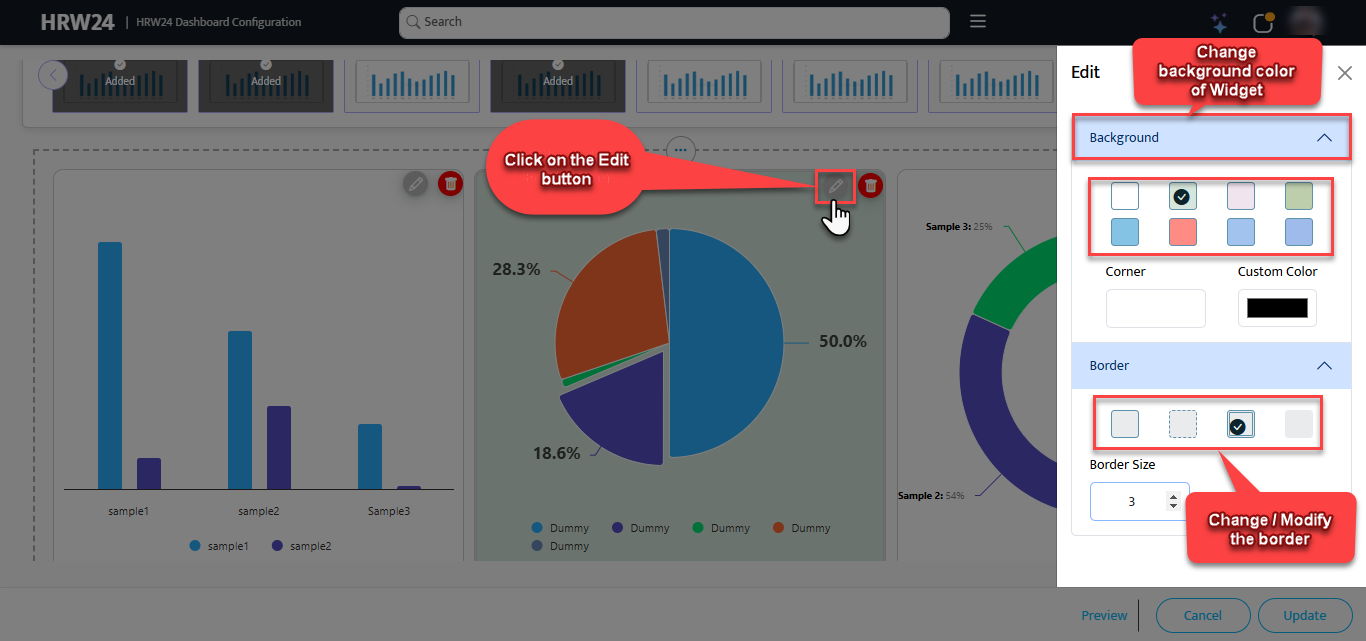 3.3. Change / Modify the background color and border of the widget.
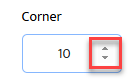
3.4. Adjust the size of corners by using the spinner box for Corner under Edit palette.
3.5. Click Update after completing the editing.
3.6. Use the Delete
 button, if you want to delete the widget.