Weekly Off Types
The Weekly Off Types are defining the off-days in a week and is used for creating shift schedules which are the part of both Weekly Shift Schedule and Monthly Shift schedule. The Weekly/Monthly shift schedules are setting up when creating weekly and monthly rosters for employees.
The steps for creating Weekly Off Types in HRW24 are mentioned in the following section:
How To Create New Weekly Off Types
-
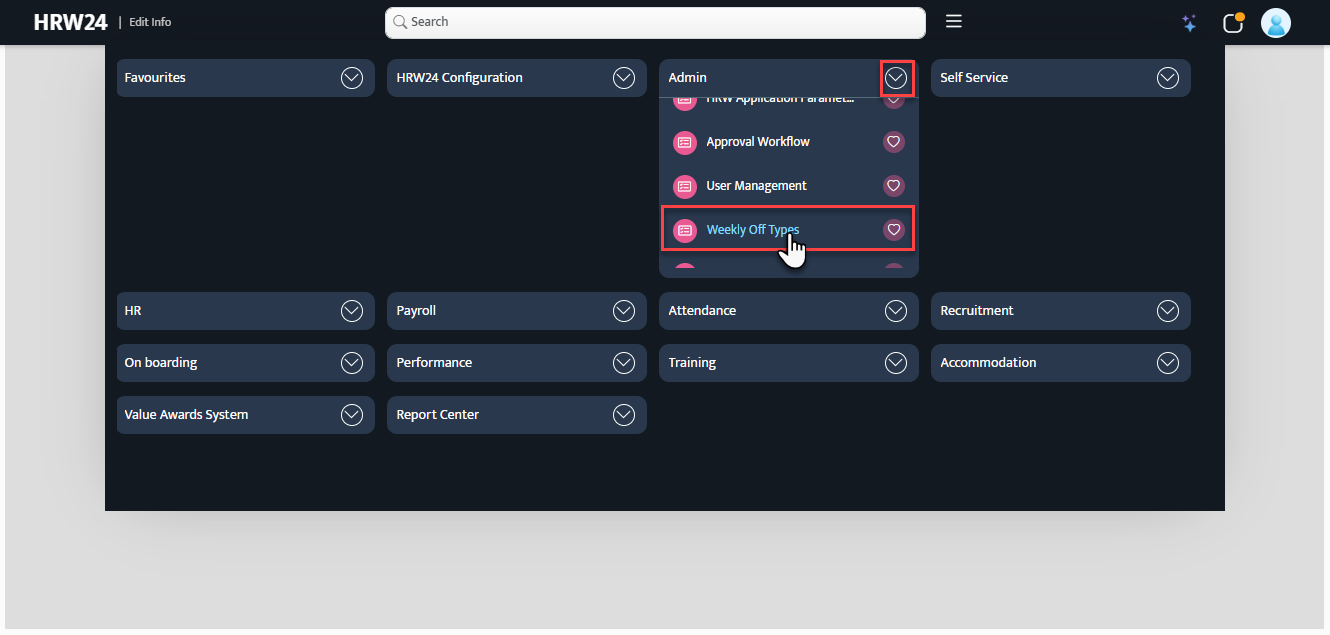
Open the Weekly Off Types screen from Admin menu
-
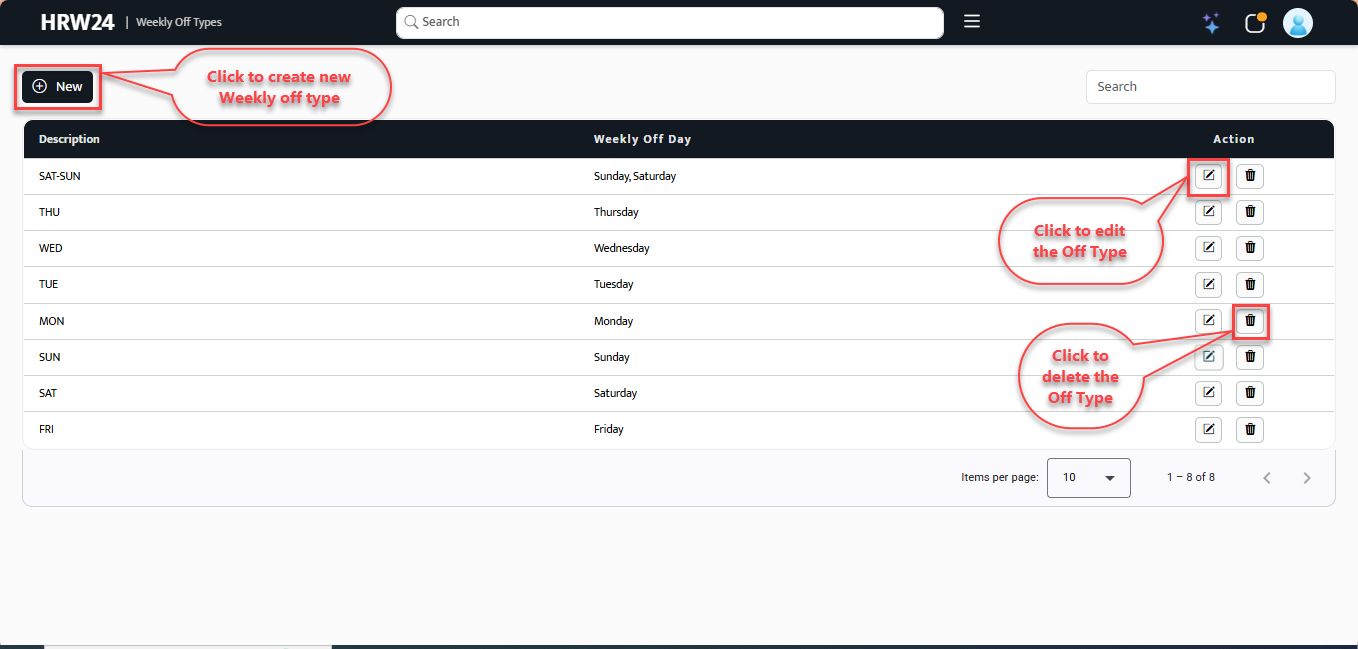
The grid in the page shows already created Off Types(if created any). The Edit and Delete options are given with each Off Types, so user can edit each off type separately.
-
To create a new off type, click the Create New button at the top left of the screen.

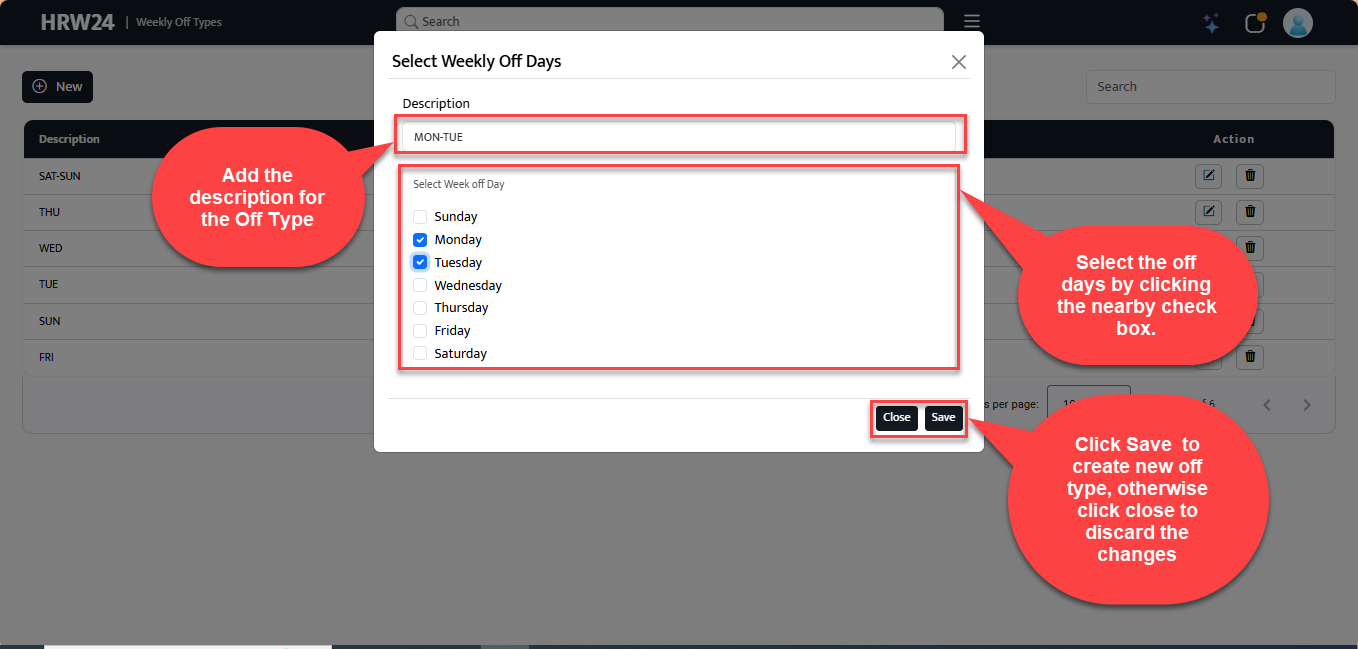
3.1. Add an easily identifiable description for off type being created.
3.2. Select the required days as off days for the off type from the list given below.
-
Edit the off types by clicking the Edit icon
 on the right end of the row.
 -
To delete the off type click the delete icon
 next to the edit icon.